
Why Is My TikTok Video Not Getting Views? A Simple Step-by-Step Diagnosis
For you if you have already posted TikTok videos with very few views and want to understand what is holding them back, without exposing yourself.
By Creatype · Updated November 7, 2026 · 9 min
In short
If your TikTok videos stay at a few views, that says nothing about your worth or your world. There is no single cause. Two families of reasons exist: the video is not being shown (it is restricted, under review or very recent), or it is shown but does not hold the people who see it. The fastest route is to check the first family, which takes a few minutes, then look at your video through the eyes of a stranger.
Why does a TikTok video not get views?
You can do this diagnosis on your own, on your own videos, without showing them to anyone or asking the people close to you. No method guarantees a number of views, and this guide promises none. It gives you an order of checks and simple questions so you know what to change on the next video. No technical knowledge needed: if you can watch a video, you can do this diagnosis. The plan: where to start, how TikTok picks the videos it shows, how to check for a restriction, then the opening, the topic, the pacing, and a trial plan.
Where do you start the diagnosis?
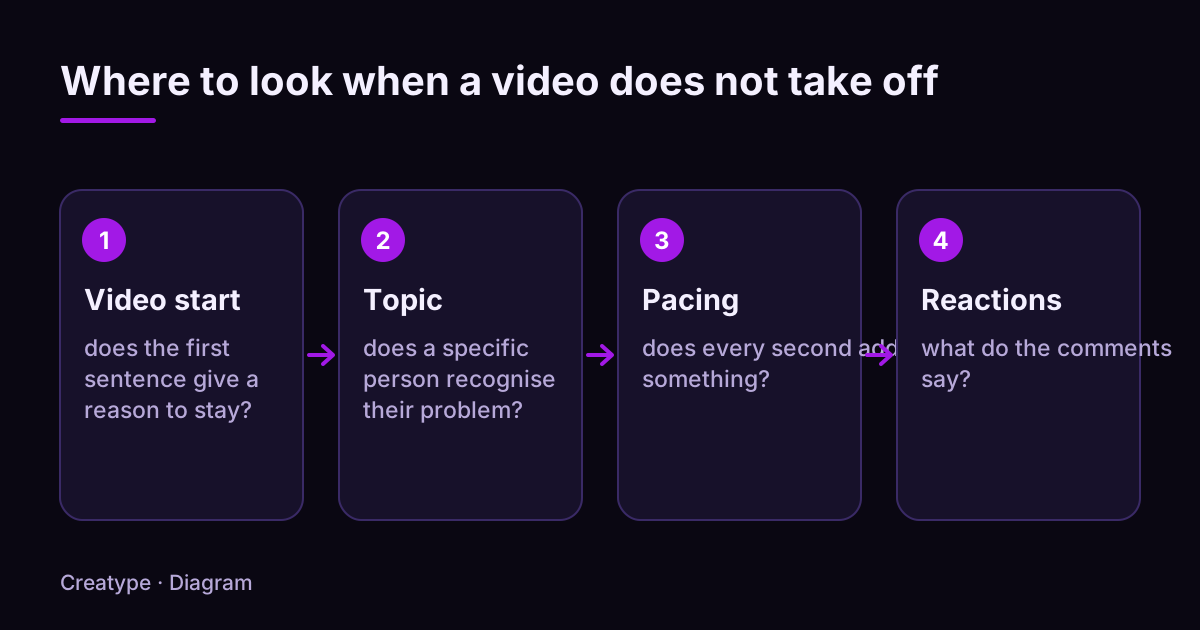
Start with the check that takes the least time and, if positive, explains everything: is the video restricted? Then move to the content with four questions, in this order.
After that, change one thing at a time on the next video. If you change the hook, the topic and the editing together, you will not know what made the difference.
- Start of the video: does the first sentence give a reason to stay?
- Topic: does a specific person recognise their problem in it?
- Pacing: does every second bring something?
- Reactions: what do the comments say, if there are any?
How does TikTok decide which videos to show?
According to TikTok’s official page on recommendations, the For You feed is personal: there is no single For You feed. The signals come from three groups: the person’s interactions (videos liked or shared, accounts followed, comments posted, content created), the video’s information (captions, sounds, hashtags), and device and account settings (language, country, device type), which carry lower weight.
TikTok also says that follower count and previous high-performing videos are not direct factors. A large following can lead to more views, but it is not a signal the system reads. In other words, starting with few followers does not close the door. Signals are weighted by what they say about the person’s interest: finishing a longer video is a stronger signal than a loose match such as the same country.
What the pages we read do not say: how many people see a video at first, or for how long. Be careful with the precise numbers you find on this subject: unless they come from TikTok, they are estimates.
One useful consequence: the same video can suit some people and not others. A precise video, aimed at a defined group, is more likely to find people it is relevant to than a vague one.
Is my video restricted, blocked or under review?
Check this before you change anything. According to TikTok, videos that have just been uploaded or are under review may be ineligible for recommendation in For You feeds. A very recent video may simply be waiting.
TikTok also explains that some content is made ineligible for the For You feed because it may not suit a broad audience. Content first goes through an automated review. If it is flagged as a possible violation, it can be removed automatically or sent to moderators, and extra review exists for content that gains popularity or is reported. TikTok states that it cannot guarantee that all content complies with its rules.
To find out whether a video is affected, TikTok says content made ineligible for recommendation shows in the analytics tool. Open the video’s analytics and look for a mention of this kind. TikTok has also announced a tool called Account Check, which lets you audit your account and your last 30 posts and see whether content is restricted from the For You feed. Its availability may vary by account: look for it in the app.
If you think a decision is a mistake, TikTok says you can appeal and track the status of your appeal in the in-app Safety Center. Menu paths change between app versions: search the settings for “safety” or “analytics”.
Rather not do it by hand? Paste a TikTok link and get the audience profiles.
Analyse for freeDoes the start of my video give a reason to stay?
Watch the first three seconds of your video like a stranger scrolling through her screen. She does not know who you are. She needs a reason to stay: a promise, a question she already has, a result on screen.
If you prepare your videos with a moodboard, keep it for the mood: the look is what makes your world. But this test is not about how beautiful the image is, it is about the reason to stay. Run this checklist on the start of your video:
- The first sentence announces the topic or the result (“Here is why your resolutions do not last”), not an introduction (“Hi everyone, today we…”).
- The first shot shows something: a gesture, an object, readable text, for example your open notebook. A waiting shot or a black screen wastes seconds.
- The on-screen text matches what you say at the same moment. Two different pieces of information at once compete.
- The video makes sense without sound: captions or on-screen text if it is hard to follow in silence.
- You did not say “I am going to explain” before explaining. Explain.
Does my topic speak to a specific person?
A video called “tips to feel better” speaks to nobody in particular. A video called “how to keep a journal at night when you only have five minutes” speaks to people who live that problem. Ask yourself: in one sentence, who is this video for?
Example (invented): you publish a video about self-confidence, titled “Personal development tips”. The same content, retitled “How to stop comparing yourself to others on social media at night”, addresses a precise viewer with a recognisable situation. Nothing says it will get more views, but it gives a concerned person one more reason to stop.
The best way to learn what your audience really cares about is to read their questions. Take those that come back in your comments, your messages or under videos from accounts close to yours, and write your topic from them. The guide on video ideas from your audience details the method.
A quick test: say the topic out loud to a friend who does not follow you. If, after one sentence, she can repeat who it is for and what she will learn, the topic is precise enough. If she asks “what do you mean?”, narrow it down before you film, because a viewer will not ask you; she will simply scroll on.
Does the pacing keep attention until the end?
According to TikTok, finishing a longer video is a strong signal of interest from the viewer. A video that loses people in the middle has fewer chances to stay in their feed. You do not see every detail of that loss, but you can rewatch the video looking for the moments when you would have scrolled.
Watch your video once in full, without defending it, and note where you would drop off. These are the most common causes:
- A repetition: the same information said twice in other words.
- A shot that runs too long with no change: several seconds with no movement, no text, no new information.
- A promise made at the start but never kept, or kept too late.
- An ending that drags: a “so, that’s it” after the last piece of information.
- A video longer than needed. If you can say the same thing in 20 seconds instead of 45, cut.
What should you do on the next videos? A trial plan
A video with no views does not say your account is finished: it gives you information. Use it with a simple plan. Write down what you checked, what you found and what you will change, so that in a month you can see which changes helped and which did not.
Example (invented): a video called “My morning routine”, published without a clear hook. Finding after the diagnosis: no visible restriction, the start is an introduction, the topic is broad. Plan: redo the video with a first sentence that announces the result, a topic narrowed to a single habit, and the text “My morning routine in ten minutes” on screen.
- Day 1: check for a restriction (section 4) and write down the result, even if it is negative.
- Day 2: read the comments and messages you received; note the questions that come back.
- Day 3: pick one single thing to change (the hook, or the topic, or the pacing).
- Day 4: publish the new version, or a new video, with that one change.
- Day 5 onward: compare with the previous one. Keep what worked better, drop the rest.
How does Creatype help you understand why a video is not taking off?
When a video does not work, the most useful question is: who saw it, and what do they expect? Creatype tries to answer it from public traces.
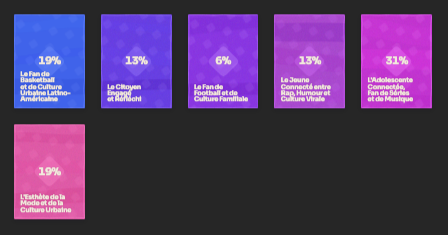
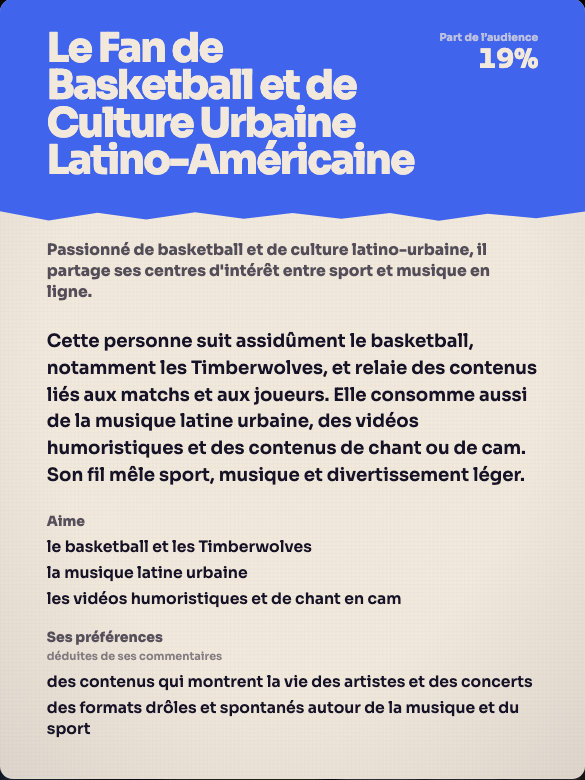
You create a free account with Google or with a link sent by email, no credit card, then paste the link of a TikTok video or account. Creatype reads the video’s context, the public comments and the profiles that react, and returns audience profiles, called Créatypes. They help you see whether the people reacting are the ones you aimed at, and what they expect; you can then ask the Prisme assistant for ideas. Knowing who watches you can also be a starting point if you aim for brand partnerships one day, without guaranteeing anything. Creatype does not replace the app’s analytics, and it cannot tell you why TikTok showed a video or not: it describes the people who react to it.
You set the number of profiles, the depth (Light, Standard or Deep) and the model; a quote appears before the run starts and you can cancel. The Free plan includes the Haiku model, up to 5 audience profiles and 100 accounts examined, without Deep. Go (€13 per month, €120 per year) adds all models, Deep, PDF and CSV export and Planifier to follow 1 account; Pro (€105 per month) lets you follow 5. Instagram and YouTube are listed as “coming soon”.
See it on a real video: create a free account and analyse a TikTok link.
Analyse for freeSources and further reading
The statements about TikTok come from the official pages below, opened while writing. The video examples are invented.
- TikTok Newsroom: How TikTok recommends videos #ForYou
- TikTok Community Guidelines: For You feed eligibility standards
- TikTok Community Guidelines: Enforcement
- TikTok Newsroom: Community Guidelines update (Account Check)
- TikTok video ideas from your audience
- TikTok hooks
- Find out who watches your TikTok videos
Try it on your own video
The free plan needs no card: create your account, paste a TikTok link, get the audience profiles. Go (€13/month) adds every model, Deep analysis, PDF and CSV export and Schedule.
Was this article helpful?